Recipes: from an idea to your shopping list
Save recipes with ingredients and steps, add products to your list in one tap, and cook step by step. Free, no sign-up.
Create a list for free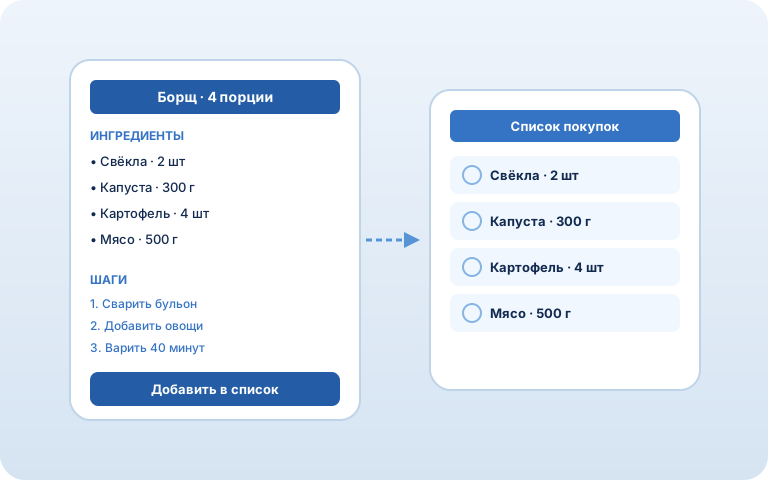
How it works
1. Save a recipe
Add ingredients and cooking steps. Ingredients come from your catalog or are typed in by hand.
2. Add to the list
Send every ingredient to your shopping list in one tap. Change the servings — amounts recalculate on their own.
3. Cook step by step
Open cooking mode and follow the steps one at a time, without scrolling the whole recipe.
What recipes can do
Ingredients → list
Every ingredient of a recipe lands in your shopping list in one tap.
Cooking mode
A step-by-step screen: one step at a time, handy in the kitchen.
Scale servings
Change the number of servings — ingredient amounts scale automatically.
AI creates recipes
Ask the AI assistant to put a recipe together for you. More about the AI assistant →
FAQ
What are recipes in Avoska?
Your dishes with ingredients and cooking steps. Keep your favorite recipes and add their products to your shopping list in one tap.
How do I add a recipe’s ingredients to the list?
Open a recipe and tap "Add to list" — all ingredients go into your shopping list. You can pick the number of servings first.
Can I change the number of servings?
Yes. Set the number of servings and ingredient amounts are recalculated automatically before they are added to the list.
Can AI create recipes?
Yes. Through the AI assistant (an MCP connector) you can create and edit recipes by voice or text.
Is it free?
Yes. Avoska is free, with no ads or subscriptions. Recipes work right in the browser, no install needed.
See also: Smart list · Shared list · Works offline · Store cards · AI assistant