All Your Store Cards — On Your Phone
Scan the barcode, add the card to Avoska, and show it at checkout from your screen. No more stacks of plastic in your wallet.
Add a card for free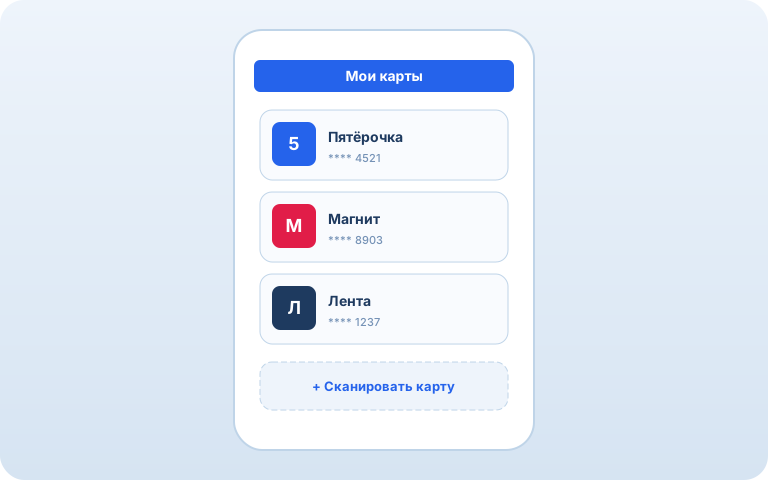
How it works
1. Scan the barcode
Point your camera at the card — Avoska reads the number and detects the format.
2. Name the card
Enter the store name — the card is saved in your wallet.
3. Show at checkout
Open the card in Avoska — the cashier scans the barcode right from your screen.
Frequently Asked Questions
What cards can I add?
Any card with a barcode or QR code: grocery stores, pharmacies, gas stations, department stores — any retailer. Avoska recognizes all popular barcode formats.
How do I add a card?
Tap "Add card," point your camera at the barcode — Avoska reads the number and detects the code type. Give the card a name and you're done.
How do I show a card at checkout?
Open the card in Avoska — a full-size barcode appears on screen. The cashier scans it right from your phone. Screen brightness goes up automatically.
Can this replace physical cards?
Yes, for most stores. If the scanner reads barcodes from a screen (nearly all modern scanners do), you can leave the plastic card at home.
Do cards work offline?
Yes. Cards are stored locally on your device. You can show a barcode at checkout even without an internet connection.
Do I need to sign up?
No. Cards live in your Avoska wallet — accessed via a unique link, just like shopping lists.
See also: Smart list · Shared list · Works offline · AI assistant · Recipes