Shop Even When the Internet Drops
Avoska is a PWA. Subway, supermarket basement, cabin without 4G — it still works. Sync catches up when you're back online.
Create a list for free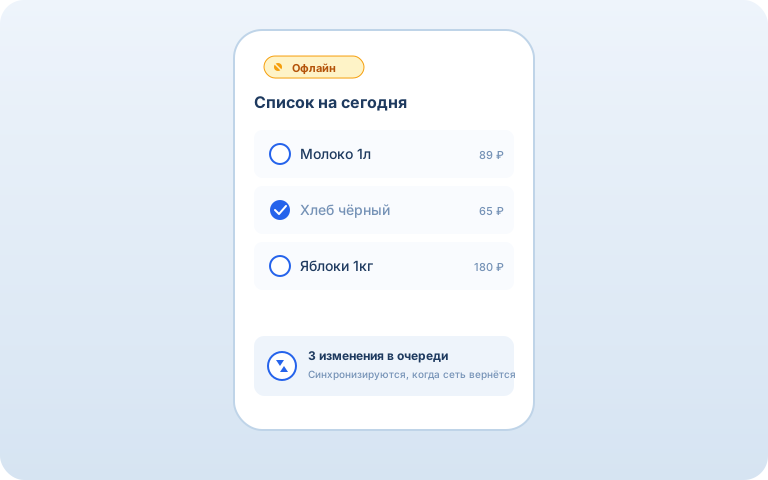
How it works
1. Open it once
On the first visit, Avoska is cached in your browser like any website.
2. Use it offline
Add, check off, edit — everything is saved locally in IndexedDB.
3. Auto-sync
When the internet returns, the queued changes are sent to the server automatically.
Frequently Asked Questions
What does "works offline" mean?
You can open Avoska on the subway or in a supermarket basement with no signal and still add, check off, or edit items. All changes are saved on your device and sync automatically when you're back online.
How does it work technically?
Avoska is a PWA (Progressive Web App). On your first visit, the browser caches the app code, and data lives in a local IndexedDB database. Changes are queued and sent to the server automatically when connectivity returns.
Will I lose changes if I close the tab?
No. Everything you add or check off lives in the browser's local database. You can close the tab, restart your phone — on the next open, the changes are still there waiting to sync.
What happens if two people edit the list offline at the same time?
When both devices come back online, Avoska merges changes by creation time. Added items don't conflict — they simply combine. Edits to the same field are resolved by last-edit time.
Can I install Avoska like an app?
Yes. Open Avoska in your browser and tap "Add to Home Screen" (Safari on iOS, "Install" in Chrome on Android). Avoska launches like a native app, without an address bar, with offline support.
See also: Smart list · Shared list · Store cards · AI assistant · Recipes