AI runs your shopping list
Drop your list link into Claude or any AI assistant — add, check off, and remove items by voice or text. No app, no sign-up.
Create a list for free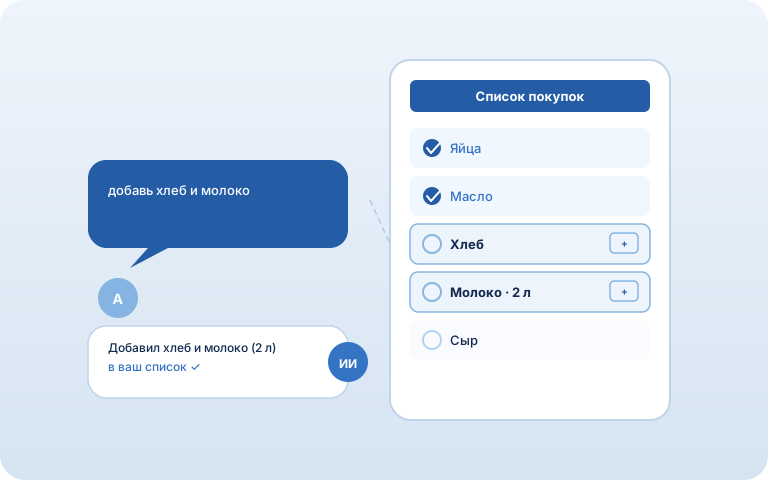
How it works
1. Create a list
One tap gives you a list with a unique link. No sign-up.
2. Connect AI once
In Claude: Settings → Connectors → Add custom connector → https://mcp.avoska.site/mcp. Works with any MCP-capable AI.
3. Just say it
Drop the link in chat: "add bread and milk", "what should I buy today?", "mark cheese as bought".
What you can ask
- What's on the list?
- Add 2 liters of milk
- Mark bread as bought
- Remove cheese
- Set butter to 3 packs
FAQ
Which AI does this work with?
Any AI assistant that supports MCP connectors. The easiest is Claude (claude.ai in the browser or the Claude app). Avoska speaks the open MCP protocol, so it isn't locked to one service.
How do I connect it?
Add the connector once: in Claude open Settings → Connectors → Add custom connector and paste https://mcp.avoska.site/mcp. No authentication needed. Then drop your list link into the chat.
Is it safe without a password?
Access to a list is by its unique link (UUID), like everywhere in Avoska. The AI only touches the list whose link you gave it. Other lists stay private, and the server address can't be spoofed.
What can the AI do?
Read the list, add and remove items, mark them bought, change quantities, create permanent products and categories — everything you'd do by hand in the app.
Do I need to install anything?
No. Nothing runs locally — the connector is added by link. The list itself also works with no install, right in the browser.
Is it free?
Yes. Avoska is free, with no ads or subscriptions. The AI assistant is billed separately by its provider — Claude, for example, has a free tier.
See also: Smart list · Shared list · Works offline · Store cards · Recipes